
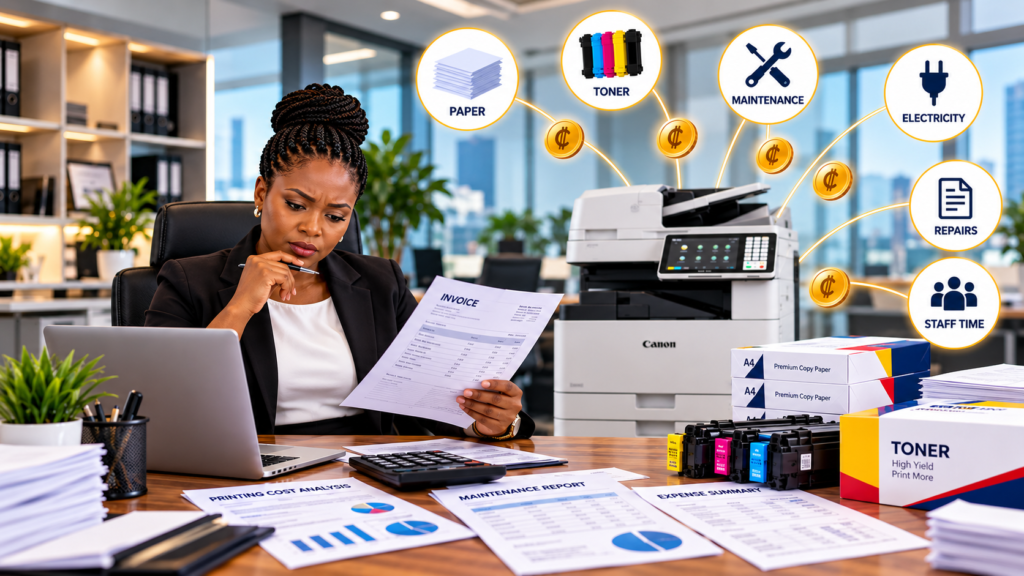
Printing rarely appears on a company’s balance sheet as one big expense. Instead, office printing costs for business are usually scattered across paper purchases, toner, electricity, maintenance, repairs, equipment purchases and employee time.
That is why many businesses underestimate their real printing expenses. A company may know how much it paid for a toner cartridge, for example, but not how much it spends maintaining several printers, replacing parts or dealing with printing downtime.
Understanding your office printing costs for business is therefore more than simply checking the price of paper and toner. It means looking at the entire printing process and identifying where money is being spent, where waste occurs and where better printing management can improve efficiency.
Office printing costs for business include every expense associated with producing, managing and maintaining printed documents. The obvious expenses are paper, toner and ink, but the real picture is much broader.
Businesses may also pay for equipment, replacement parts, servicing, electricity, software, outsourced printing and staff time. Therefore, looking at only toner or paper invoices gives you an incomplete picture.
A useful starting point is to divide printing expenses into four categories:
Once these categories are visible, calculating your true printing cost becomes much easier.
Office printing expenses are often spread across different departments. Administration may buy paper, IT may handle printer problems, procurement may purchase equipment and finance may pay service invoices.
As a result, nobody may have a complete picture of the company’s office printing costs for business. This becomes particularly challenging when an organisation operates several branches or departments.
For example, one office might have five printers from different manufacturers. Each machine could require different toner, parts and technical support. Individually, the expenses may look manageable. Collectively, they can become significant.
The first lesson is simple: do not manage printing expenses one invoice at a time. Manage the entire printing environment.
Your printing cost per page gives you a practical way to compare machines and understand printing efficiency.
A basic calculation is:
Printing Cost Per Page = Total Printing Cost ÷ Total Pages Printed
For a more useful calculation, include consumables and maintenance:
True Cost Per Page = (Paper + Toner/Ink + Maintenance + Parts + Other Printing Costs) ÷ Total Pages
Suppose an office spends:
Total annual printing-related cost = GH₵9,500
If the company printed 100,000 pages:
GH₵9,500 ÷ 100,000 = GH₵0.095 per page
That gives management a starting point for understanding the actual economics of printing.
Some of the most important hidden printing costs never appear as a single printer invoice.
Consider documents printed unnecessarily, abandoned print jobs, duplicate printers, emergency repairs and employees spending time trying to resolve printer problems.
There is also the cost of downtime. If an important printer stops working while invoices, contracts, reports or customer documents are being produced, employees may have to wait or find another machine.
Your audit should therefore look beyond direct expenses:
These hidden costs can explain why your company’s printing budget feels higher than expected.
Office printer maintenance costs should be included when comparing different printing options.
A machine that appears inexpensive to purchase may become expensive if it requires frequent repairs, specialised parts or frequent technician visits.
Regular servicing can also help identify developing problems before they become major equipment failures. However, servicing requirements vary according to equipment type, age, workload and manufacturer recommendations.
Businesses should track:
The objective is not simply to spend less on maintenance. It is to create a printing environment where equipment remains reliable and predictable.
Printing volume has a direct relationship with equipment selection. A small office printing a few thousand pages monthly may not need the same equipment as a school, bank or corporate office producing large volumes.
This is why office printing costs for business should always be evaluated against actual usage.
Track your monthly volumes for at least three months if possible. Look for:
If one machine consistently handles a very high workload, it may be worth evaluating a higher-capacity multifunction device instead of relying on several smaller printers.
The right equipment should match the workload rather than simply the purchase price.
Equipment selection can significantly influence office printing costs for business. The cheapest machine is not automatically the cheapest machine to operate.
For example, a high-volume office may need a robust multifunction photocopier rather than several small desktop printers. Conversely, a small department with limited printing needs may not need a large production machine.
Before purchasing, evaluate:
ENERGY STAR also recommends considering energy-efficient imaging equipment and features such as automatic duplexing.
Managed print services take printing from an equipment-only issue to a broader management process.
Instead of treating every printer separately, a business can assess its entire printing environment, including equipment, usage, consumables, servicing and workflows.
A managed approach can help answer important questions:
This visibility can make office printing costs for business easier to monitor and manage.
For larger organisations, a structured print-management programme can also help standardise equipment and simplify supplier relationships.
For businesses searching for photocopier leasing Ghana, leasing can provide an alternative to purchasing equipment outright.
The financial question should not simply be, “What is the price of this copier?” Instead ask, “What will this equipment cost our organisation over its useful period?”
Printware’s leasing service describes flexible monthly plans, maintenance support and technology upgrades as part of its leasing proposition.
Leasing may be worth evaluating when a business wants to:
The actual financial outcome depends on the lease agreement, usage, service terms and total contract cost. Always compare the complete commercial terms before deciding.
You do not need complicated software to begin understanding your office printing costs for business.
Record every printer, copier and multifunction device.
Use meter readings where available.
Collect paper, toner, parts, repairs and servicing expenses.
Record major breakdowns and their operational impact.
Divide total printing expenses by total pages.
Identify expensive, underused or overloaded devices.
Decide whether to repair, replace, consolidate, lease or manage the equipment differently.
This simple audit gives management a much clearer picture before making its next printing investment.
Reducing office printing costs for business does not necessarily mean printing less of everything. It means making every printed page more intentional.
Start with simple controls such as:
ENERGY STAR specifically recommends features such as duplex printing, secure print and appropriate quality settings as ways to reduce paper and toner use.
Small changes become more meaningful when applied across a high-volume organisation.
A strong printing budget should include more than the price of a new machine.
Build your annual estimate using:
| Cost Area | What to Track |
|---|---|
| Equipment | Purchase or lease payments |
| Paper | Monthly paper consumption |
| Toner | Toner and ink purchases |
| Maintenance | Service agreements and visits |
| Parts | Drums, fusers and other components |
| Electricity | Equipment energy consumption |
| Downtime | Operational disruption |
| Labour | Staff time spent managing printing |
Then compare the total against your printing volume.
This gives finance, procurement and operations teams a shared view of office printing costs for business rather than separate departmental expenses.
Printware provides sales, leasing and service solutions for printing and photocopier requirements across Ghana.
The question is not simply, “How much does our printer cost?”
The better question is:
“How much does our entire printing operation cost?”
Your office printing costs for business can include equipment, paper, toner, maintenance, parts, electricity, downtime and employee time. Once these costs are measured together, management can make better decisions about equipment, servicing, consolidation, managed print services and leasing.
Start with a simple printing audit. Measure your volumes. Calculate your printing cost per page. Identify your hidden printing costs. Then compare the available options based on total cost and operational requirements.
If your organisation in Ghana is reviewing its printing setup, Printware can help you explore photocopier sales, leasing, servicing and printing solutions suited to your operational needs. Printware states that it provides sales, leasing and expert service across Ghana.
Ready to understand and control your printing costs?
Talk to Printware today about your office printing requirements.
📞 +233 302 415715 / +233 270 337331
📧 leasing@printwaregroup.com
🌐 printwaregroup.com
Talk to Printware about copier leasing, sales, servicing and document solutions designed to keep your business moving.
Continue reading more insights from Printware.
Signup our newsletter to get update information, news & insight